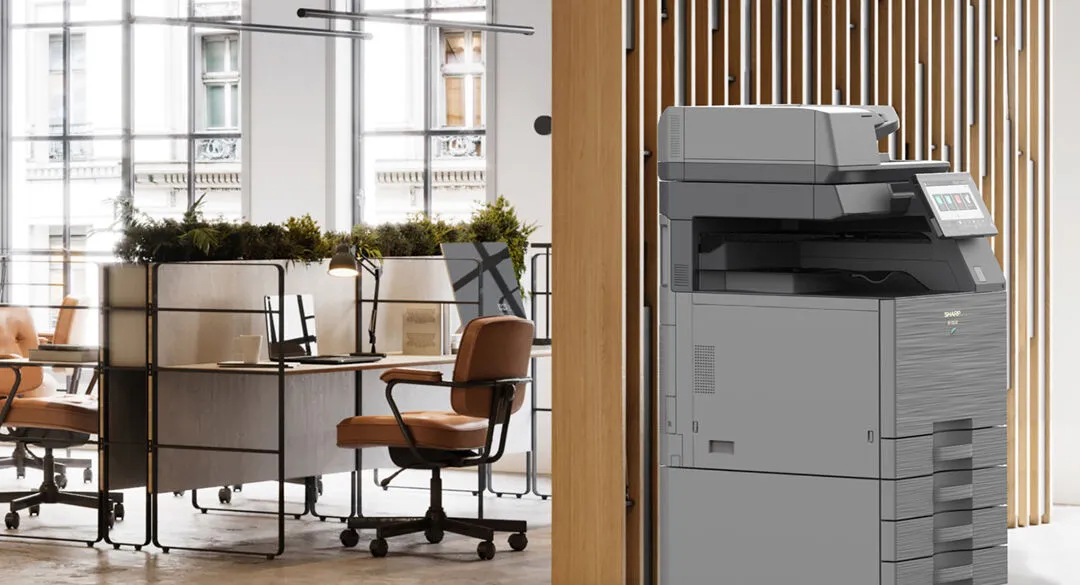
Look for security features in three places: the office printer itself, the path a job takes to it, and the output tray. On the machine, that means encrypted storage, a data overwrite function, firmware integrity checks, a TPM and network controls. On the path, user authentication and encrypted transmission. At the tray, secure print release. The third is where the paper sits, and a new machine does not close it until secure release is switched on. On a leased office printer, check two more things: whether the service plan covers firmware updates, and how the drive will be cleared when the lease ends.
Why the output tray is the real problem
A print job can be encrypted across the network, sent to a device with hardened firmware, and then sit face-up in the tray for forty minutes. Everything before the tray did its job, and the page is still exposed.
Jobs get sent, someone gets pulled into a meeting, and the pages sit there. In a small practice the printer often sits beside reception, and those pages are client files and patient records within arm's reach of the waiting room. Anyone walking past can pick them up.
It is also the cheapest failure point to close, because secure release can run on a PIN with no extra hardware, which is why it is worth addressing first.
The three failure points, and what closes each
| Where it fails | What that looks like | What closes it |
|---|---|---|
| The device | Unpatched firmware, an open admin panel, job data left on the internal drive | The security features built into the printer, set up properly: encryption, data overwrite, firmware integrity, network controls |
| The path | Jobs sent unauthenticated from personal devices, or from home over an unmanaged connection | Authenticated mobile and remote printing through a managed platform, with the user's identity tied to the job |
| The tray | Documents printed, then sitting unattended until somebody collects them, or nobody does | Secure print release. The job is held until the person who sent it authenticates at the device |
The security features to look for in the printer itself
A current business multifunction printer carries most of these as standard. The question is whether they are switched on and set up for your office, so check each one by name. "Secure" on its own tells you nothing.
- Encrypted storage. A self-encrypting drive, sometimes called a Security SSD, encrypts everything written to it, so a drive removed from the machine cannot be read without the keys held inside the printer.
- Data overwrite. Temporary job data is written over as soon as each job is finished, so copies of what you printed and scanned do not build up on the drive.
- Firmware integrity. The printer checks that its firmware is genuine at start-up and only accepts signed updates, so tampered code cannot run.
- TPM. A trusted platform module is a chip that stores the encryption keys in hardware, which makes the other protections much harder to get around.
- IP and MAC address filtering. An allow list of the computers and servers permitted to talk to the printer. Everything else is ignored.
- Encrypted transmission. Current protocols such as TLS protect a job while it travels across the network to the printer.
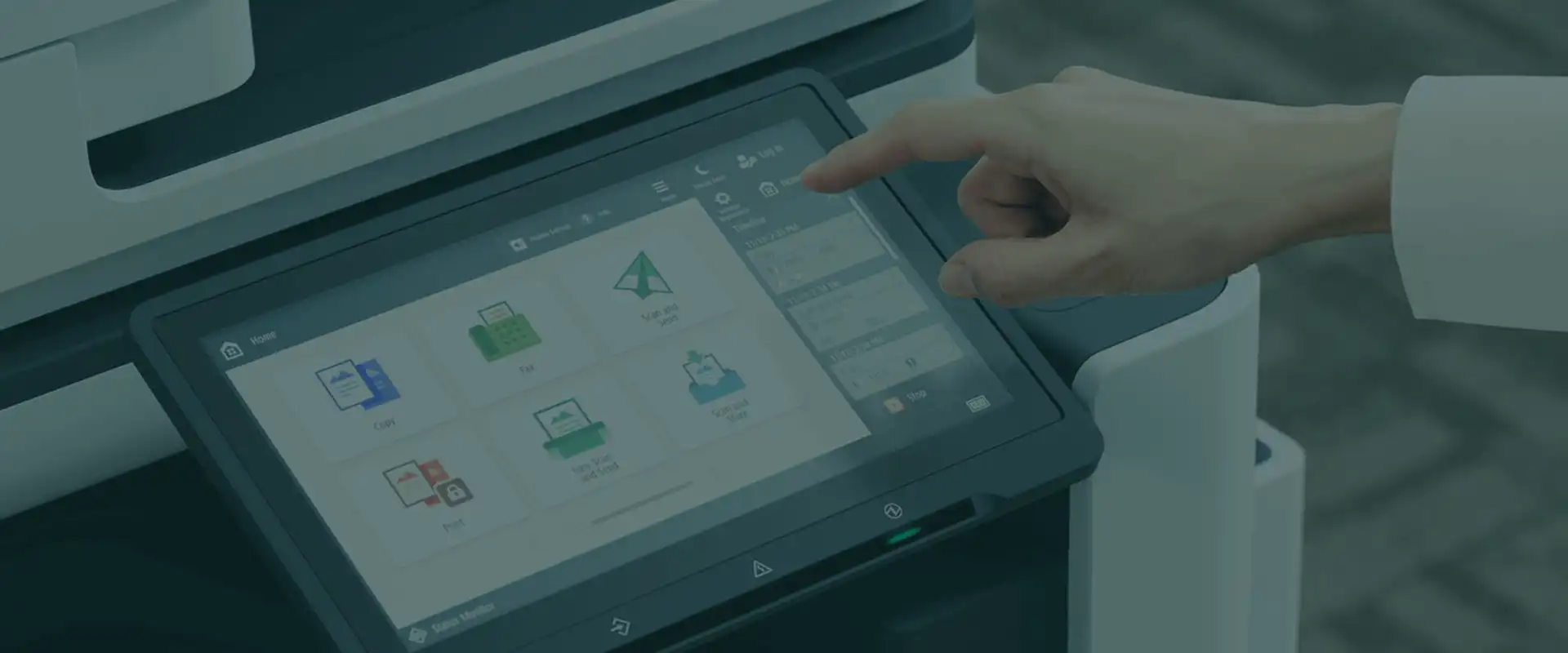
- User authentication. A PIN or card before anyone can print, scan or change settings.
The machines we supply are protected by current security features, firmware and encrypted hard drives. The Canon C3900i colour series carries Trellix embedded protection (formerly McAfee) and TPM 2.0, and the A3 mono 4900i series carries a TPM 2.0 chip. Both the Canon range and the Sharp range ship with device protection built in. Our technicians install each machine with the security your office requires, including passwords, print tracking and release options.
Network encryption and TLS
TLS encrypts a job on its way from a computer to the printer, and the current version, TLS 1.3, is supported on Canon's imageFORCE range. Canon machines also let the protocol version be selected, so ask for older, weaker protocols and unencrypted connections to be switched off at installation.
Firmware updates and your service plan
Firmware carries the manufacturer's fixes for security gaps as they are found. Ask whether the service plan covers firmware updates, and how often they are applied, before you sign.
The printer's hard drive, during the lease and after
While the printer is in use, encryption and overwrite keep stored data unreadable and short-lived. When the machine leaves your office, the drive can still hold copies of documents, so it needs to be cleared. When equipment comes back to us on an upgrade, its hard drive is written over several times to wipe the data and shadow data, and we provide a certificate on completion. Whoever your provider is, and wherever the machine goes at the end of the lease, ask how the drive will be cleared and for a certificate in writing.
Secure print release, or pull printing, with a card or PIN
Secure print release is a setting where the job does not print when you press print. It waits until you are standing at the machine and have identified yourself, usually with a card or a PIN. Nothing sits in a tray, because nothing is produced until somebody is there to take it. Some providers call it pull printing or private print.
Follow-me printing, also called find-me printing, goes one step further. Staff print to one shared queue and release the job at whichever authenticated device they walk to. It also removes print waste, because a job that is never collected is never produced.
Office printers with card reader access
A card reader on the printer lets staff release their jobs with a tap. PaperCut notes this can even be the same card used for building access, provided the reader is compatible with the card technology the building already uses, so check that before a reader is ordered. PaperCut also suggests pairing the card with a PIN, so a lost card cannot be used to release someone else's jobs. Cards are managed in the print management software, usually linked to staff accounts, so when someone leaves, their access to the printers goes with the rest of their access.
The second failure point
The path a job takes matters as much as the device
Whether a job comes from a desktop, a phone, or a laptop at home, it needs a route that identifies who sent it. That comes down to the software platform. The same machine can sit behind an open share or an authenticated one, depending entirely on how it is set up.
Mobile device printing, done securely
Staff printing from phones, tablets or home need a route that identifies them. A managed platform handles this without opening the network to unauthenticated devices, which is effectively what an open print share does. Most current printers, such as the Canon imageCLASS X C1333iF, support AirPrint and Mopria for mobile device printing out of the box. On an office network that convenience is also the gap, because any phone on the network can send a job without saying who it is from.
PaperCut MF supports authenticated mobile and remote printing across iOS, Android, Windows, macOS and Chrome OS, and uniFLOW Online lets local and remote workers print and scan securely. Both sit under software solutions, and both are configured on the machines you already have.
Watermarking, usage tracking and the audit trail
Username and timestamp added automatically to each page. It is a behavioural control more than a technical one. Documents that identify who printed them get treated differently.
The same tracking produces an audit trail of who printed, scanned or copied what, with per-user and per-department reporting, which is what makes an unusual pattern visible at all. It is also what makes cost allocation per client or per matter possible, so the security setup and the billing setup are usually the same piece of work.
The distinction that matters
Device security is bought once, with the machine. Document security is configured, and it is where nearly every real exposure sits. If a quote covers the device and says nothing about the other two, it is quoting you hardware. Ask what it does about the tray.

Healthcare
Healthcare is where the storage question matters most
A privacy position can rule cloud storage out entirely for patient records and medication charts. Local server-based scanning and print management is the usual answer, a different setup from a standard cloud one, and worth specifying upfront.
What this looks like in practice, by sector
| Sector | The exposure | What is usually set up |
|---|---|---|
| Legal | Matter documents in a shared tray, costs needing allocation per client | Secure print release, per-matter cost allocation, scan direct to the matter file |
| Healthcare and aged care | Patient records and medication charts, privacy obligations on where data is stored | Secure release, plus local server-based scanning instead of cloud where the privacy position requires it |
| Accounting and finance | Client financials printed and left, archives needing digitising | Secure release, watermarking, scanning with text recognition into the document system |
| Education | High shared volume, many users, little accountability per job | Per-user quotas, authenticated release, departmental reporting |
Any organisation covered by the Privacy Act has an obligation to take reasonable steps to protect personal information it holds, and printed pages in a corridor are personal information held. The OAIC guide to securing personal information is the authority on what reasonable steps means, and it covers physical as well as technical measures, including how stored information is disposed of.
A worked example
Take a twelve-person practice running two A4 colour machines in a shared corridor. Staff print from desktops and occasionally from home. Nothing is authenticated, and the trays are cleared when somebody remembers.
Both machines can stay. The work is in the setup: jobs are held until release, staff release them with a PIN, or a card if readers are fitted, remote printing runs through an identified route, and each page carries the username of whoever produced it.
With those four settings in place, most of the exposure in that corridor would be closed without replacing either machine. For most offices, the biggest improvement available is in how printing is set up.
What a vague security claim usually means
The phrase secure printing on a quote, with nothing after it, usually means the device has firmware protection. That is true of essentially every current business machine and is not a distinguishing feature. It rarely means secure release is set up, because that is a decision somebody has to make and pay attention to.
Ask which of the three failure points a provider is addressing, and ask specifically whether print release is included or extra. The answer separates a hardware pitch from a print security position. That question sits alongside the others worth putting before you sign, set out in the questions to ask an office printer lease provider before signing.
Print security for Sydney businesses
Setting it up is the work, and it needs someone who will come and do it in person. Secure release changes how every person in the office prints, so the rollout matters as much as the setting.
We have run Axia from Frenchs Forest since 1996 with our own technicians, so the person who sets the release rules up is the same person you ring afterwards. Faults are fixed in hours, not days, with an average repair time of 3.2 hours. Emergency response across Sydney metro is under four hours, and we have over 90% customer retention. Print security can form part of managed print services or of a lease from photocopier and printer leasing in Sydney. What a service agreement should cover is in office printer lease contract terms, and Axia's own overview of the capability sits on print security.
Frequently asked questions
What are the security features to look for in an office printer?
On the machine: encrypted storage, a data overwrite function, firmware integrity checks, a TPM, IP and MAC address filtering and encrypted transmission. For people: user authentication by PIN or card. For the paper: secure print release, so nothing sits in the tray. Check each by name, because a current business machine usually has them but they have to be set up.
I'm worried about security; what features should I look for in a leased office printer and service plan?
On the leased printer: encrypted storage, a TPM and secure print release that is switched on and set up. In the service plan: firmware updates, who sets the security up at installation, and a certified wipe of the drive when the machine goes back. Ask for each in writing.
How does a Security SSD differ from a standard hard drive?
A Security SSD is a self-encrypting solid-state drive. It encrypts everything written to it in hardware, and the keys stay inside the printer, so a drive pulled from the machine cannot be read. A standard hard drive holds what it stores in readable form unless separate encryption is switched on. Ask which one a quoted model has.
What is the difference between a TPM and standard encryption?
Encryption scrambles the data. A TPM is a chip that stores the encryption keys in hardware, so they cannot be lifted by tampering with software. The two work together. Canon's 4900i series, for example, carries TPM 2.0.
Why is firmware integrity important for printer security?
Firmware runs the printer, so tampered firmware could see every page printed or scanned. A secure printer verifies its firmware at start-up and accepts only signed updates. That check protects you fully only while the firmware itself is current.
Why is firmware management important in a printer lease?
A leased printer sits on your network for the whole term, and firmware updates carry the manufacturer's fixes for security gaps found along the way. A machine that never gets them runs years-old code by the end of the lease. Ask whether the service plan covers the updates and how often they are applied.
What is a data overwrite function?
A setting that writes over the temporary data from each job once it finishes. It limits what builds up on the drive during the lease, and it does not replace a full wipe when the machine leaves your office.
What is the difference between data at rest and data in transit security?
Data at rest is what is stored on the printer's drive, protected by encryption and overwrite. Data in transit is a job travelling across your network to the printer, protected by encrypted protocols such as TLS. One without the other leaves a gap, and neither protects the page once it is in the tray.
What is the role of IP and MAC address filtering?
It restricts which devices can talk to the printer at all. Only the computers and servers on the allow list can send jobs or reach the settings, so a visitor's laptop on the same network cannot.
What happens to the data stored on the printer's hard drive?
During use, a self-encrypting drive keeps it unreadable outside the machine, and data overwrite clears each job as it finishes. Some data, such as address books and stored documents, stays until the drive is cleared, which is why an end-of-life erase matters. Canon machines include an initialise-at-end-of-life function for this.
What happens to my data when the printer lease ends?
It stays on the drive until it is wiped. At the end of a lease the machine usually goes back to the lessor or finance company, so ask your provider before the lease ends how the drive will be cleared and whether you will get a certificate. When equipment comes back to Axia on an upgrade, its hard drive is written over several times and a certificate is provided.
How does user authentication improve office printer security?
Every print, scan and settings change is tied to a named person. That makes secure release possible, stops anyone changing the printer's settings without logging in, and gives you an audit trail of who printed, scanned or copied what.
How does pull printing improve office confidentiality?
Confidential pages never sit unattended. The printer produces the job only while its owner is standing there, so client files and patient records are not left for the next person at the machine, and nothing is printed for someone who never comes back for it.
How does card reader access improve office security?
It ties every release to a person. A job prints only when its owner taps their card at the machine, each release is logged against a name, and staff who leave lose printer access when their card is cancelled.
Can I use my existing building access cards for printer security?
Often, yes. PaperCut notes the card used at the printer can be the same one used for building access, provided the reader fitted to the printer is compatible with your card technology. Confirm that before a reader is ordered.
Is card authentication difficult to manage for IT departments?
Not usually, and a one or two machine office often has no IT department at all. Cards are managed in the print management software and linked to staff accounts, so adding a new starter or removing a leaver is done in one place. Pairing each card with a PIN, as PaperCut suggests, means a lost card cannot release anyone's jobs.
Does secure printing slow down the workflow for employees?
It adds one tap or PIN at the machine. In return staff can send several jobs and release them together at whichever printer they walk to, and nobody has to rush to catch a confidential page.
Can third-party software enhance the security of my print fleet?
Yes, even when the fleet is one or two machines. Print management software such as PaperCut MF or uniFLOW Online adds secure release, authenticated mobile printing, watermarking and an audit trail, and it is configured on the printers you already have.
How do staff print securely from home or from a phone?
Through a managed print platform that ties each job to the person who sent it, so the printer is never open to any device that can reach it. PaperCut MF covers iOS, Android, Windows, macOS and Chrome OS, and a job sent from home waits until its owner releases it at the machine.
Can print data be kept on our own server rather than in the cloud?
Yes. Local server-based scanning and print management is available where a privacy or compliance position requires data to stay on site, which is common in healthcare. It is a different setup and worth specifying upfront.
Does secure printing cost extra?
Not always. Most business machines, the Canon C3900i series included, have secure or hold print built in, released with a PIN at the machine. Print management software such as PaperCut MF or uniFLOW Online is licensed separately, and it adds follow-me release, card readers, mobile printing and reporting. Ask which one a quote includes, because a general reference to secure printing does not say.
Does print security help with Privacy Act obligations?
It addresses part of them. Organisations covered by the Privacy Act must take reasonable steps to protect personal information they hold, and that includes printed material and stored data. Secure print release and a certified drive wipe are two of those steps, and the OAIC guide sets out the rest.
Want your printers set up securely from day one?
Before we quote, we review your current devices and how they are used. Our technicians then install each machine with the security your office requires, including passwords, print tracking and release options.
Get your quoteAxia Office · Unit 6, 14 Rodborough Rd, Frenchs Forest
NSW 2086
(02) 9975 0888