
Software Solutions
Automated workflows, secure printing, and data driven control all from one central platform.
Many businesses lose time managing documents manually. Our Print Management Software fixes that by capturing files from multiple sources and processing them automatically. Staff can scan directly to email, cloud storage, shared folders, or core business apps with personalised workflows. Combined with secure print release, it gives you a faster, more reliable, and safer way to manage documents across the organisation.


3.2 Hours
Breakdowns Fixed Fast
No Offshore Call Centres: Sydney Staff

$200K+
To Charities Since 2020
RSPCA NSW, Foodbank + Others

1,000's+
Happy Business Partnerships
Over 90% Customer Retention

1996
Australian Owned & Operated
Family Operated Since 1996

Take control of your business documents with smart scanning and secure print management through uniFLOW. It’s easy to use, boosts productivity instantly, and gives your team personalised scan workflows that streamline everyday tasks. Discover how uniFLOW can transform your document processes see it in action today.

PaperCut puts intelligence behind every print and scan. Employees can track usage, print from any device, and send scans directly to their chosen folder, cloud app, or email all in one step. With OCR and a clean, universal interface on every MFD, PaperCut turns everyday documents into searchable, sharable, and business-ready files.
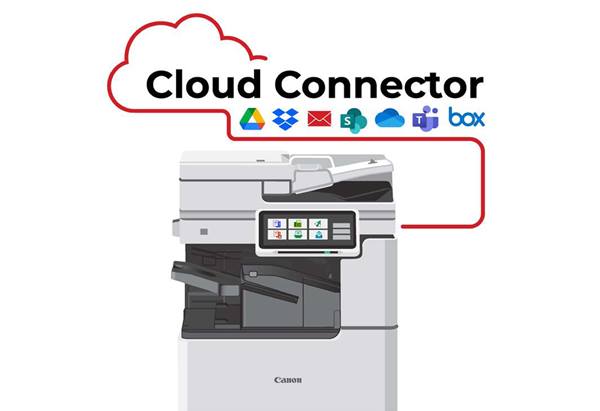
Ideal for SMBs, Cloud Connector is an optional licence add-on integrated to your multifunction device and allows you to print from and scan to your preferred cloud destination.
Whether you import and integrate, share and compare, store and retrieve, or distribute and print documents, Therefore™ gives you and your employees the opportunity to access and work with needed information in an easy and quick way.
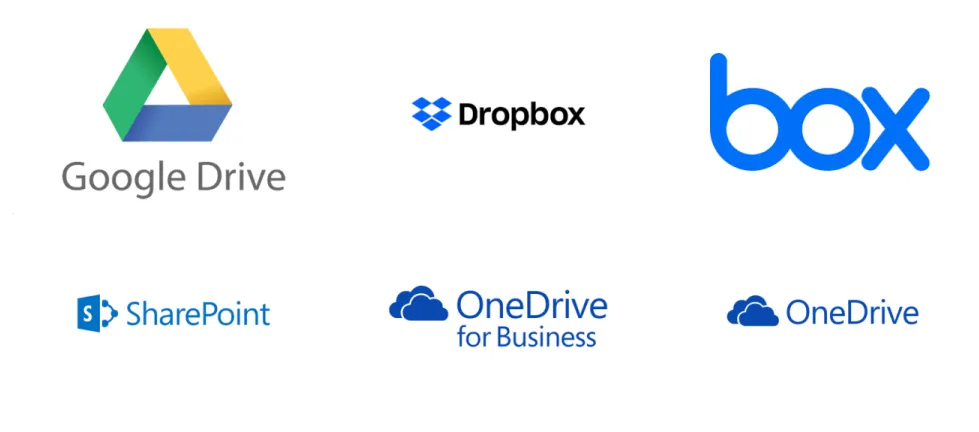
Supported Cloud Applications
Easily scan to network folders and a wide range of cloud destinations your business relies on.
Software Solutions
Axia Office provides your business with a wide range of software solutions that helps your business thrive.
Print Visibility
This feature keeps detailed print logs and allows for detailed reporting of every job sent through your printers.
A comprehensive overview of your office printing behaviour who's printing, what they're printing, when they printed, and on which device — offers a valuable method of understanding and controlling your print costs
Having visibility of your printing through print reports is the first step in understanding what controls you need to put in place
You can analyse costs for the entire company, individual cost centres and employees, or each multifunction copier and laser printer
Features include centralised logs, pre-built or customisable reports, print archiving, document watermarking, scheduled reporting emailed to you, etc.
Follow Me Print
Commonly known as "Find Me Printing," "Pull Printing" or "Push Printing," Follow-Me Print software allows end users to have the benefit of peace of mind when printing to a shared network printer or device.
Documents are held in the user's personal and secure print release queue until the user releases them to the printer or multifunction device of their choice
Save time by not making as many trips to the printer
Eliminate the need to locate jobs not collected immediately
No longer worry about confidential documents going missing
Release a job from another networked printer if the default device is busy or offline
Print output is reduced, as users often decide they don’t need the jobs they sent to the printer, or they no longer need to re-print misplaced jobs
Cost Recovery
We have software solutions for businesses that want to allocate their printing, photocopying and/or faxing costs to clients, or to make individual cost centres / employees accountable for their printing.
Allocate costs automatically with a user-friendly interface that automatically prompts users to key in a specific user ID, cost centre, project, client or account (popular in legal and accounting firms)
Identify your biggest users and office printing behaviour with detailed reports and tracking
Track and control your device output (prints, copies, scans and faxes) and manage device costs and usage efficiently
Upload costs automatically into most of the major professional "back-end" accountancy management software
Document Management
Document Management software helps companies manage important files, scanned images and all electronic information, including emails and Microsoft Word and Excel documents.
Avoid the loss or misplacement of important information by backing it up electronically with powerful scanning technology
The software offers powerful search capabilities and is designed to control and protect information from many sources and being stored in different forms
Distribute documents with ease and speed
A customised document management solution will ensure you get the most from your multifunction copier or printer
Rules Based Printing
Rules-based print management software offers your organisation's network administrator the ability to manage print output, such as what types of documents can be printed, which devices can print certain documents, and which users have certain permissions.
Using this software, you can creates rules to reduce costs, save time, increase security, decrease the likelihood of human error, and ensure that your photocopiers and printers are being used as effectively as possible.
For example, you can:
Encourage duplex printing, default to 2-sided prints, or print all internal and draft documents double sided
Print all or just internal documents or emails in black & white, or ask users to confirm when printing emails in color
Automatically detect known problem documents and warn users so that they can cancel the print job if needed before it starts
Redirect high volume jobs to the larger, more cost-effective devices, ensuring that the smaller office printer is free for quick jobs
Use pop up alerts to notify or remind users and to improve compliance
Scanning & Document Routing
Our solutions offer a variety of options to turn hard copy documents into electronic files, and then store them in the correct location in a way that ensures they can be quickly and easily found when needed.
Automate the routing of your documents to improve workflows and boost productivity with enhanced quality and consistency
Digital files are easily imported and saved into file folders, with an index field automatically assigned based on the folder name
Software extracts data contained in document zones, marks and barcodes and automatically feeds the information into business systems, databases and scripts
Image clean-up features that can be automatically performed include image enhancement, auto crop, border elimination and black hole-punch removal
Increase employee productivity by reducing time spent locating old documents
Workflow Solutions
Strategically optimise your work flows by streamlining and controlling your business processes to improve productivity, efficiency and accuracy.
We can help you analyse your business processes to identify unnecessary and time-wasting procedures, as well as what processes can be automated
The software will create a consistent and streamlined system that improves the efficiency of your business processes
Ensure everyone in your organisation is working in the most productive way possible
The software is seamlessly integrated with the control panel of most multifunction copiers
User Authentication
We can offer a wide range of authentication options to integrate with your existing user-ID security identification procedures, including:
PIN entry
Magnetic Card
Proximity Card
SMART card
Bio Metric
Customer Success Stories
Practical solutions. Real people. Proven results.

Leading Sydney aged care facility group saves tens of thousands of dollars with free Print Health Check & Unlimited Print Plan

Pharmacy in Sydney receives specifically tailored & cost-effective Managed Print Plan

How Axia’s Unlimited Print Plan helped top childcare centres in Sydney avoid unexpected print costs

Improved efficiency and cost savings with a Managed Print Plan for medical practice in Sydney

3.2 Hours
Breakdowns Fixed Fast
No Offshore Call Centres: Sydney Staff

$200K+
To Charities Since 2020
RSPCA NSW, Foodbank + Others

1,000's+
Happy Business Partnerships
Over 90% Customer Retention

1996
Australian Owned & Operated
Family Operated Since 1996




PRODUCTS & SOLUTIONS
SUPPORT & KNOWLEDGE HUB
ABOUT US
Copyright 2026. AXIA OFFICE PTY. LIMITED. All Rights Reserved.