
Secure Your Office Copier from Cyberattacks | Axia Sydney
Axia’s managed print services, help you manage all aspects of your company’s printing, including all photocopiers and printers, remote tracking of consumables, routine services, document routing and, something which is often overlooked by most SMB’s, network security.
Our Photocopier lease plans are tailored to each business’s specific requirements, to ensure that they get the exact solution that fits their needs. The aim is always to provide increased productivity through more efficient machines and processes whilst reducing costs to the business.
Our managed print service also pays particular attention to the network security of your printers and copiers. The brands and equipment we provide are protected by the latest security features, firmware and encrypted hard drives.
Our technicians install the equipment with the security your business requires; including passwords, print tracking and release options. We also ensure that any old equipment that comes back to us upon upgrade has their hard drives hard drive written over several times to wipe off any data and shadow data. This is something we provide a certificate for on completion.
How printers impact data safety
The Office of the Australian Information Commissioner (OAIC) released a 12-month insight report on data breaches within businesses. They found that 84% of businesses are aware of printing-related security threats but only 4 in 10 have their printers secured.
Small businesses (<20 employees) report the lowest rates of awareness around printer security issues – 31% are not aware of risks vs 5% of larger businesses (200+ employees).
The worrying thing about the report is that there has been a712% increase in breach notifications. While the obvious focus is on securing individual computing devices and corporate networks, there’s an often-overlooked endpoint on corporate networks to consider – multifunction copiers and printers. MFDs now offer scan and send capabilities, network integration, and cloud-based functions. Whilst these features contribute to more efficient workflows, they also have characteristics that may introduce additional security risks.
Best Practices for Multifunction Photocopier and printer security for businesses
Control User Access
MFDs are typically shared by an organisation’s employees across different departments. They may also be used by authorised guests and are often in locations where they could be accessed by unwanted users. This makes it important that measures are in place to control access and usage of the device itself, restrict specific functions, and limit the destinations to which information can be transmitted.
When assessing user access, consider whether the MFD provides the ability to do the following:
Implement authentication/log-in to control device access and help limit output sitting on the tray.
Set specific access rights for individuals, departments, and guests that meet the needs of each role.
Set access rights at device level or by individual function (copy, send, etc.).
Restrict send destinations to help prevent information from being sent to unauthorized recipients.
Protect any information sent and stored
MFDs have become sophisticated, connected devices that can transmit and receive information over a network, store information, and connect to cloud services. This may include sensitive business information, important client data, or confidential employee details that should be protected from being intercepted by unauthorised parties. When assessing how best to protect the information sent or stored by your MFD, consider its ability to do the following:
Encrypt image data before storing to the hard drive, overwrite temporary data after each job, and erase all user data/settings at end-of-life to help protect confidential information stored on the hard drive.
Disable unused functions and communication ports to limit vulnerability points.
Configure communication settings with the latest available protocols to help protect data transmission.
Encrypt the print data in transit from the user’s workstation to the MFD.
Capture, archive, and audit device-related activities to help limit the leaking of important and valuable information.
Update firmware on a regular basis across the product line to ensure the latest fixes are implemented
and to access updated security enhancements and functions.
Ensure protection against cyber threats
When MFDs are connected to a network, they can be a target for hackers attempting to gain access to the device or to use the MFD to gain access to the network and corporate data. It’s important that measures exist that are designed to allow only known, approved firmware and applications to run and protect against the tampering of firmware and applications. IT management should monitor activity so that they can quickly identify and recover from potential threats. When assessing protection against cyber threats, consider if the MFD can do the following:
Verify integrity of boot code, OS, and applications during start-up.
Use whitelisting to help prevent malware execution and protect against tampering of firmware and applications.
Integrate with SIEM systems for comprehensive monitoring and notification of suspicious activity.
Manage and monitor security settings and activity
IT teams typically manage a fleet of MFDs. This can be a burden if there are not proper tools in place to help ensure that security settings are deployed easily, and consistently across the fleet. Additionally, it’s important measures exist to help ensure these security settings remain configured and notification is provided for attempted changes. When assessing how you can manage and monitor security settings and device activity, consider if the MFD provides the ability to do the following:
Easily establish print security settings remotely and from a central location.
Establish a dedicated password to protect these settings (it should be different from the device
administrator’s password.)
Efficiently distribute consistent security settings across multiple devices in the same fleet.
Monitor print security settings and provide notification of attempted changes.
Automatically revert to established security settings if changes are made.
Multifunction security features to look out for when purchasing your next photocopier
Canon Copiers and Printers
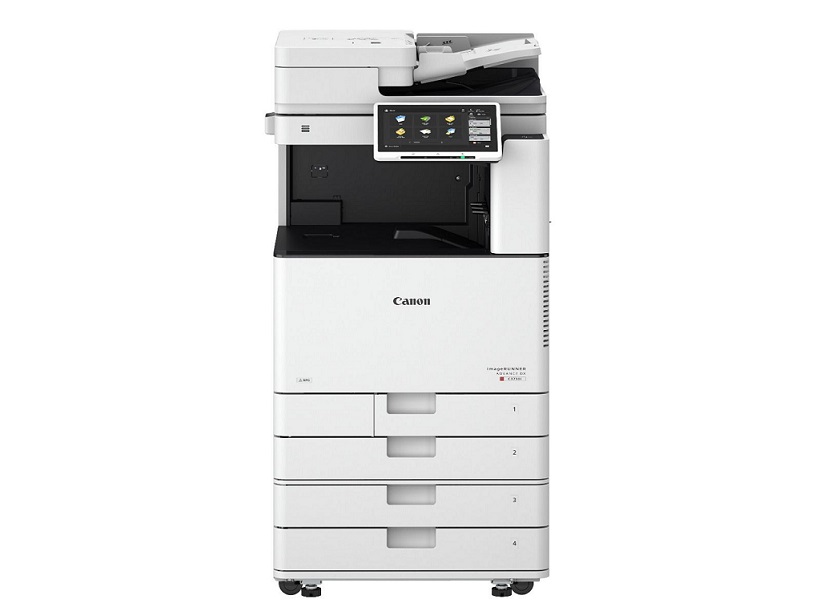
Canon is focused on addressing the evolving security risks associated with today’s office printers. Canon Copiers imageRUNNER ADVANCE Multifunction Devices have progressed to offer wide-ranging scan and send capabilities, cloud-based functions, and network integration. With confidential data moving from desktops to mobile devices to multifunction devices, Canon understands the need to take extra measures to help provide its customers with a secure experience.
Features:
McAfee Embedded Control – comprehensive, intelligent application whitelisting
Security Policy Settings with dedicated passwords
Verify system startup
SIEM integration (system information and event management)
HDD security features – encryption, erase, initialise at end-of-life
Protocol version selection
Encrypted secure print and UniFLOW secure print
Access Management Systems (AMS)
UniFLOW authentication
Sharp Copiers
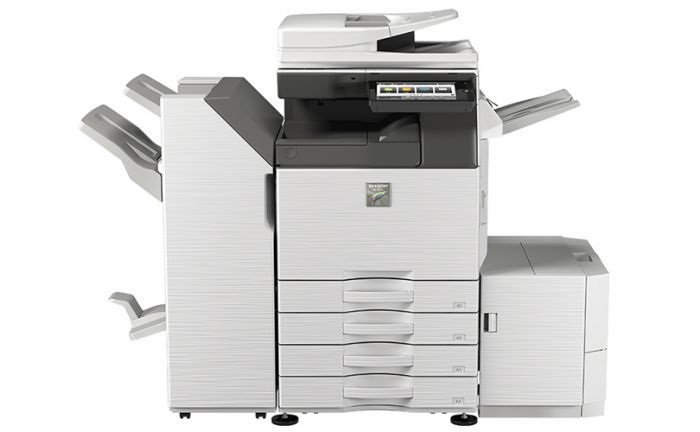
Sharp was the world’s first MFD (multifunction device) manufacturer to address security in digital imaging. They were the first to receive the Common Criteria validation for an MFD and the first to achieve an Evaluation Assurance Level 4 rating for a data security kit.
Features:
Network Security and Access Control
Secure email communications (S/MIME)
SSL and IPsec data encryption for secure network communications
User Authentication – covering up to 1,000 users
Active Directory – integrated management of user credentials
Whitelisting – protection from fraudulent programs
Image job log – log files for each job
Document Protection
Document control – embedded copy prevention data
Hidden pattern copy/print – optional watermarks
Tracking information on print – prints user’s name, date, job ID on print outs (optional)/li>
Data/System Protection
Automatically encrypted job data
Firmware self-recovery – prevents data leaks and firmware damage